
What Is a Temporary Email Address and How to Get One?
Every website wants your email address. A forum you will read once, a file you want to download, a trial you are not sure about yet — each one asks for the same thing, and each one keeps it. A temporary email address is the simple answer to that: a working inbox you use for a few minutes and then forget about.
What is a temporary email address?
A temporary email address — also called a disposable or throwaway address — is a real, functioning mailbox that exists for a short time. It receives messages exactly like any other address, but it is not tied to your identity, it has no password, and it is deleted automatically after a while along with everything it received.
That is the whole idea. You get the verification code or the confirmation link you needed, you finish what you came to do, and the address stops existing. Nothing arrives in it six months later because by then there is no "it".
Why people use one
The obvious reason is spam. The address you hand to a download form today is the address that receives marketing mail every week for the next three years. A disposable inbox absorbs that entirely.
The less obvious reason is tracking. Your main email address is an identifier. When the same address appears in a dozen different companies' databases, those records can be matched to each other, and a fairly detailed picture of your activity can be assembled and sold without you ever agreeing to it. Using a different throwaway address for low-trust sign-ups breaks those links.
There is also simple risk reduction. Data breaches are routine. An address that only ever received one confirmation email, and no longer exists, is worth nothing to whoever ends up with that database.
How to get a temporary email address
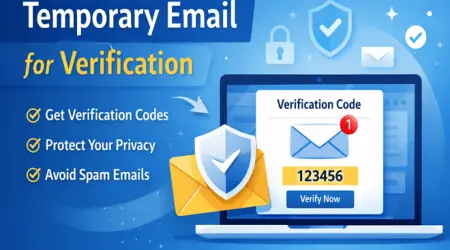
On this site it takes no steps at all. Open the homepage and an address is already generated and waiting — no signup, no password, no personal details. Copy it, paste it into whatever form asked for an email, and messages sent to it appear on the page in real time. Refresh if you are impatient; the code usually arrives in seconds.
When you are finished you simply close the tab. The inbox and its contents are removed automatically, so there is no account to delete and no history left behind.
When not to use one
A temporary address is deliberately disposable, which makes it the wrong tool for anything you need to keep. Do not use one for a bank, a work account, a subscription you pay for, or any service whose password-reset link you might need next year — once the inbox is gone, so is your way back into that account.
It will also not pass identity or enrolment checks. Programmes that offer student pricing verify enrolment against official institution records rather than the email domain, so a disposable address cannot be used to claim student status. It is a privacy tool, not a credential.
A quick comparison with a regular inbox
A regular email account is built to be permanent: it stores your history, it recovers your other accounts, and it carries your name. A temporary address is built to be forgotten: it exists for one task and leaves no trace. Most people need both, and the skill is knowing which one a given form deserves. If you would be annoyed to still be hearing from this website in a year, that is a form that deserves a temporary address.
In short
Temporary email is one of the few privacy measures that costs nothing and requires no effort. It keeps marketing mail out of the inbox you actually read, it reduces how much of your activity can be linked together, and it limits what a future breach can expose. For one-off sign-ups and verification codes, there is very little reason to use anything else.
Tags:
Need a disposable inbox right now?
Generate a free temporary email address on the
Edumaili homepage — no signup, no password, no personal details. Use it
to receive verification codes and OTPs, then let it expire and keep your real
inbox private. It is a privacy tool, not a student credential: it cannot be
used to obtain a .edu address or student pricing.